Go Back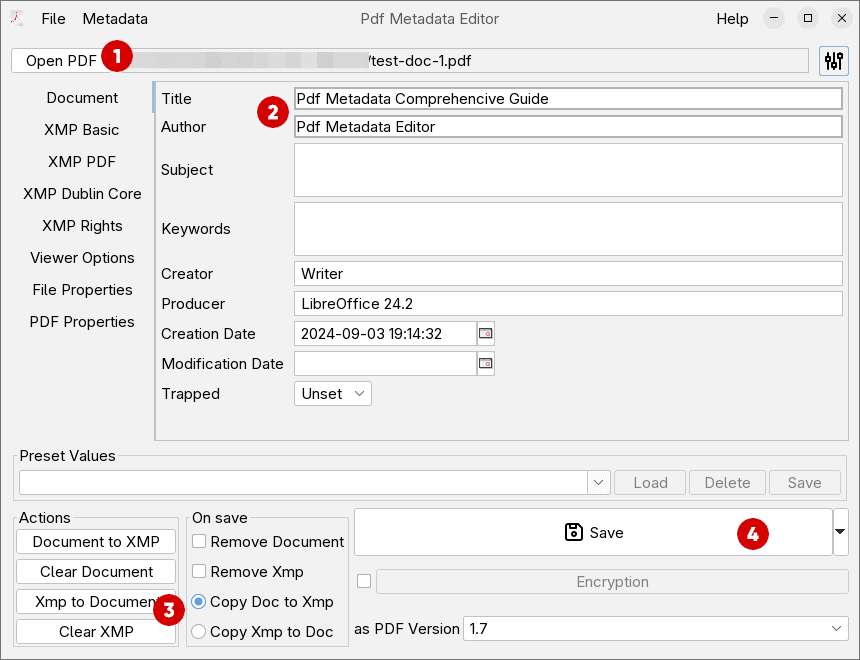
Edit PDF Metadata tutorial
Editing basic metadata
- Click
Open PDFto select a file for editing - Change any fields you would like , in this example the Title and the Author are changed.
- For the simples case where you only want basic fields changed, select
Copy Doc to XmpfromOn savepanel. This will make sure, that your changes are consistent between Document and XMP metadata. - Click
Saveto save the changes you made.
For more details, on different function supported check the article on PDF Metadata Editor Interface
Video tutorial
Watch the video below to get the basics of using the editor. It shows basic operation like setting metadata, saving the file etc.