Understanding the Compression Parameter in Apache PDFBox
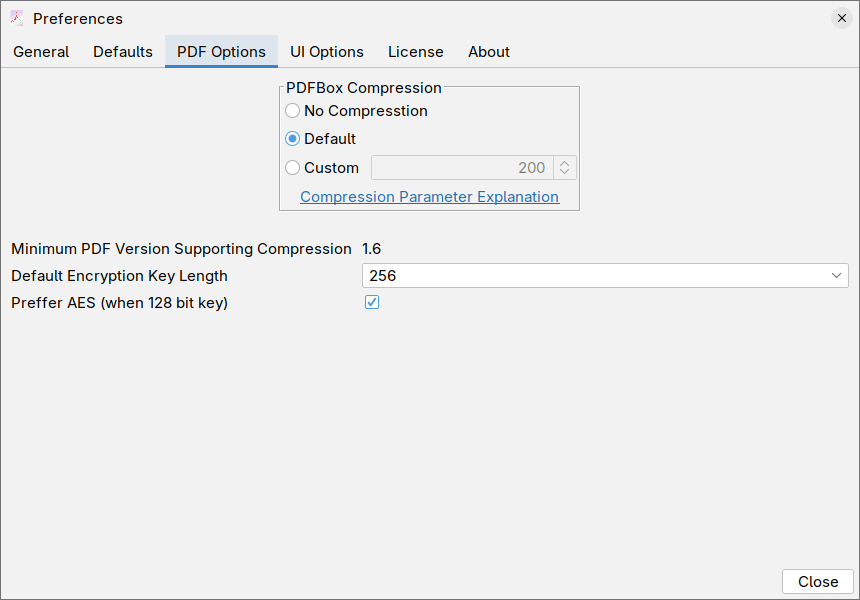
When working with PDFBox, you'll encounter a compression setting that accepts a number (an integer). This parameter controls how PDFBox organizes and compresses content within your PDF file, and understanding what this number means will help you balance file size against performance.
What Does This Number Mean?
The compression parameter tells PDFBox how many objects it can bundle together into a single compressed package within the PDF file.
Think of it this way: imagine you're packing items into boxes for storage. The compression parameter is like saying "you can put up to X items in each box." A higher number means more items per box, while a lower number means fewer items per box.
The Special Case: Zero (0)
Setting this parameter to 0 turns compression off entirely. Your PDF will be larger, but it won't use this particular compression technique at all.
The Default Value: 200
The default value of 200 is a good default value, but if you are working with PDF files with a lot of object (pages, images, fonts, etc.) you might want to increase it.
Why Does This Number Matter?
The number you choose affects two important things:
1. File Size
- Higher numbers = smaller PDF files (more objects compressed together)
- Lower numbers = larger PDF files (less compression)
2. Performance When Opening/Viewing the PDF
- Higher numbers = PDF readers may work harder and slower when displaying your document
- Lower numbers = PDF readers can process your document more quickly
Finding the Right Balance
You need to choose a "reasonable value" that works for your situation:
- If file size is your priority (like for web delivery or storage), use a higher number
- If quick viewing and responsiveness matter most (like for documents people will read immediately), use a lower number
- For most everyday documents, a moderate value provides good compression without noticeable slowdown
In practice
Most of the time it is safe to use really high number, modern computers can handle the extra work required with no issues.
Technical Details
If you are interested in the technical specifics
The compression parameter controls the maximum number of PDF objects that can be stored in a compressed object stream (a feature introduced in PDF 1.5). Object streams allow multiple indirect objects to be compressed together using standard compression algorithms like DEFLATE.
When a PDF reader opens the document, it must decompress these object streams to access the individual objects. Larger object streams mean more data must be decompressed at once, which can increase memory usage and processing time during rendering, particularly on less powerful devices or when dealing with complex documents.
The trade-off is between compression ratio (larger streams compress more efficiently due to better pattern recognition) and random access performance (smaller streams allow more granular access to individual objects without decompressing large blocks of data).